Lodestone Mobile
Lodestone and the whole harmonism.io library on your phone, kept on the phone for reading with no connection. The phone runs no model of its own: it thinks through OpenRouter under your own key, through your harmonism.io account, or on Lodestone Desktop on your own computer.
Android
Download the app- Open the downloaded file. Android asks once to allow installs from your browser: allow it, then Install.
- Open Lodestone from your apps.
Android 7 and later, about 3.5 MB. Not in the Play Store.
Or add the web app from Chrome: open it, then ⋮ → Install app or Add to Home screeniPhone and iPad
Open Lodestone in SafariFrom another browser, copy this address into Safari.
- In Safari, tap ⋯, then Share.
- Tap View More, then Add to Home Screen.
- Tap Add.
Where Safari shows the Share button itself, on an iPad or with Safari's Bottom or Top layout, tap it and go on from step 2.
Open Lodestone from the Home Screen from then on: there it keeps what it stores, while in a Safari tab Safari deletes it after seven days without a visit. Safari on iOS 26 or later.
See each step ↓On an iPhone, step by step
-
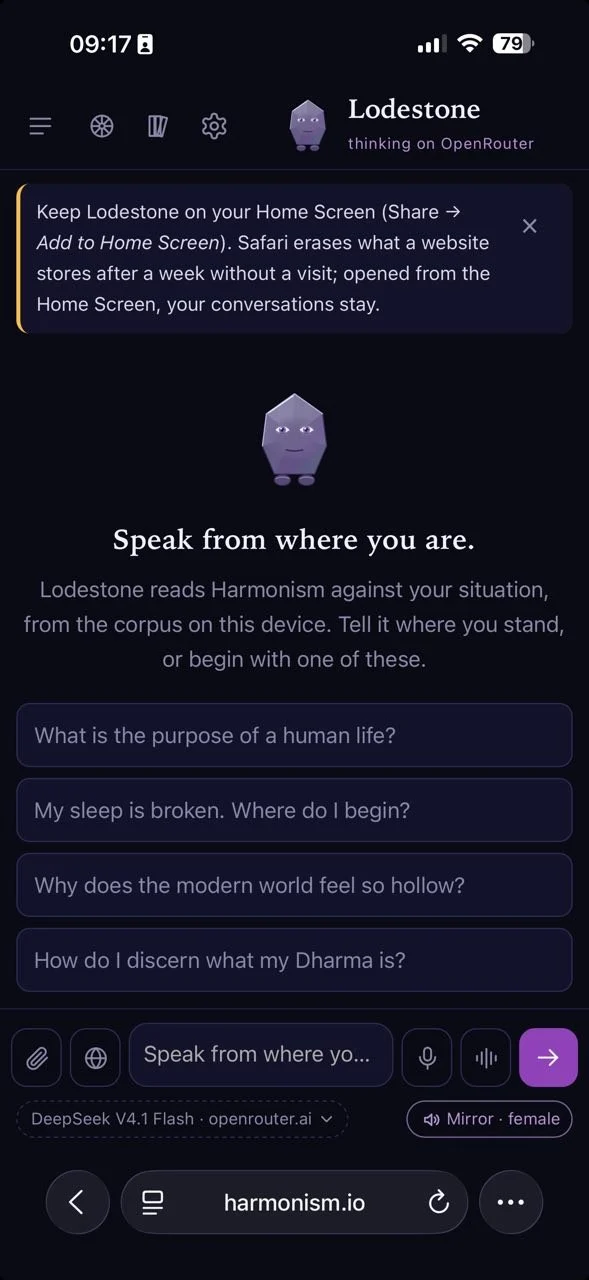
1Tap ⋯.
-
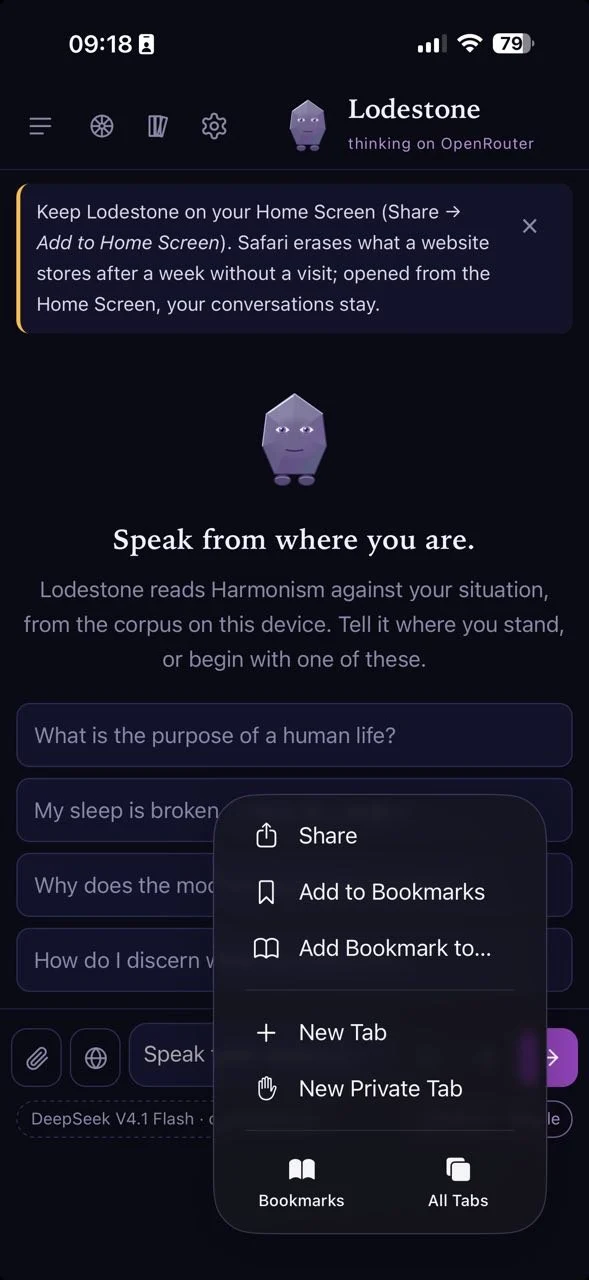
2Tap Share.
-
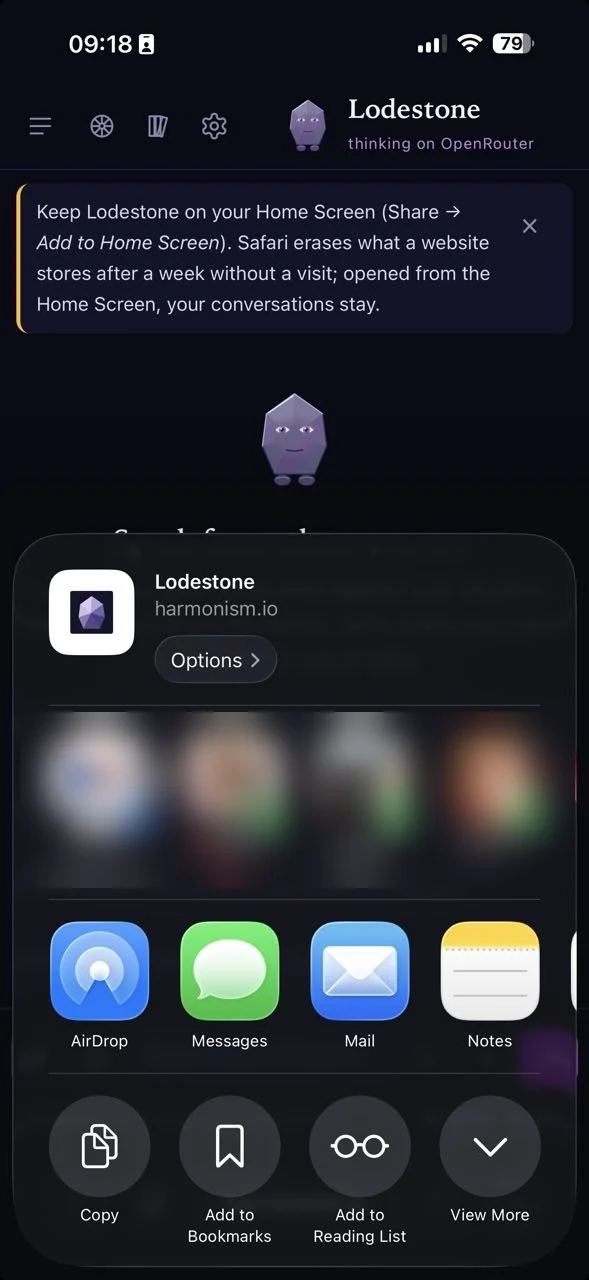
3Tap View More.
-
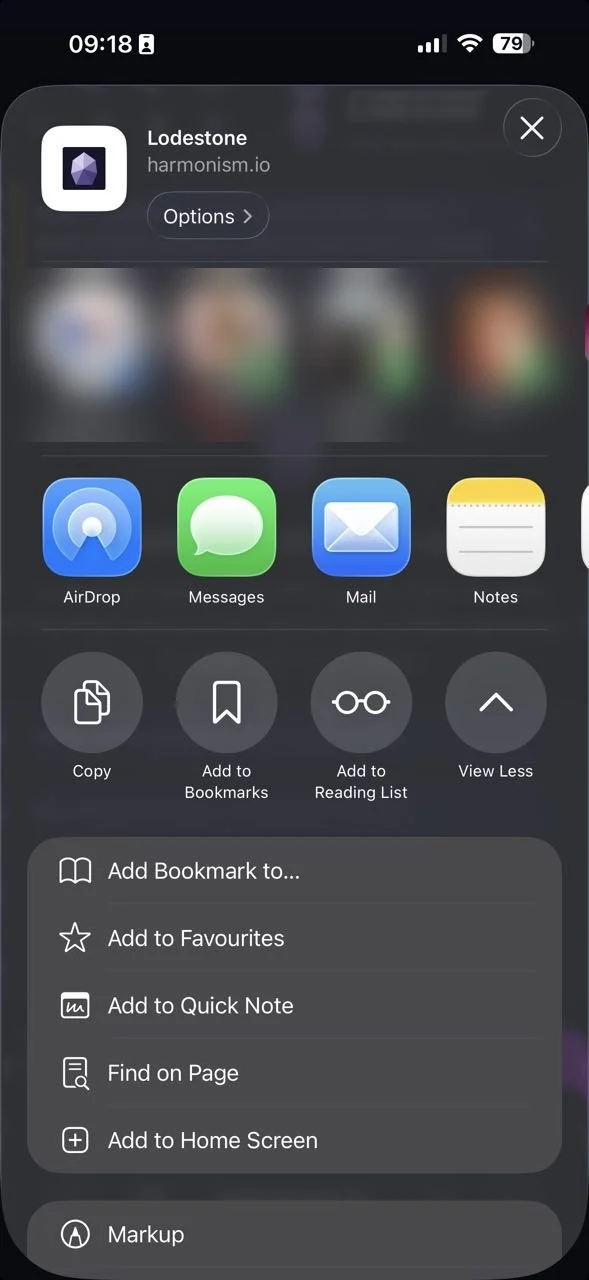
4Tap Add to Home Screen, then Add.
How it thinks
On first opening, Lodestone asks how it should answer. OpenRouter, under a key of your own, carries the full doctrinal backbone, with no daily limit; you pay OpenRouter for what you use. Your harmonism.io account uses the models hosted Lodestone runs on, ten messages a day for the first month and five a day after, and signs in with the website's own sign-in. My computer uses the model on Lodestone Desktop, so nothing you write leaves your home. No model: a question brings back the passages of the corpus that bear on it, with no network at all. Settings → Change where Lodestone thinks moves between them; your conversations stay. A phone never runs a model itself: the models small enough to fit answer badly enough to misrepresent the system they speak for. Where Lodestone runs sets every route side by side, and says which one is private.
With your computer
On Android, Lodestone Desktop pairs with the app: Lodestone → Use from Your Phone… on the computer shows a six-digit code and a QR code; scan it with the phone's camera, or type the code under My computer. The phone then thinks on the computer's model over your Wi-Fi and can sync its memory through the computer, so it never leaves the home network. An iPhone cannot pair, because Safari will not let a secure page call a computer on the home network; open in Safari the address that Use from Your Phone… shows instead, and the computer serves its own copy of Lodestone with its model.
Updates
Both doors open the same Lodestone at harmonism.io, so every improvement reaches the phone on its own. A new Android download is needed only when the app around it changes.
On a computer, Lodestone Desktop carries the library and a model of its own. · Android version 1.1.1